
Printer Replacement
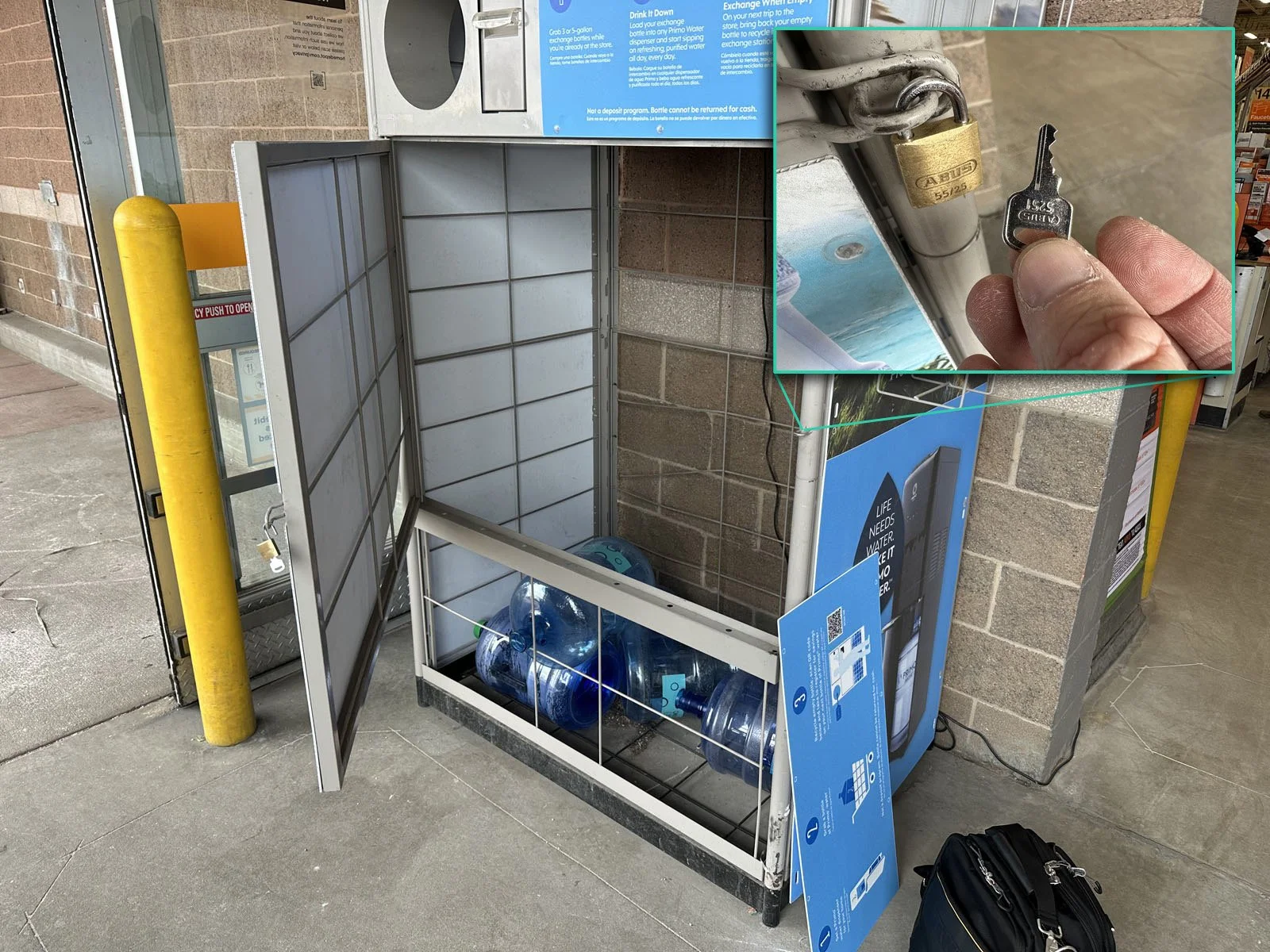
Provided: New printer shipped direct to store, Customer Service has padlock key
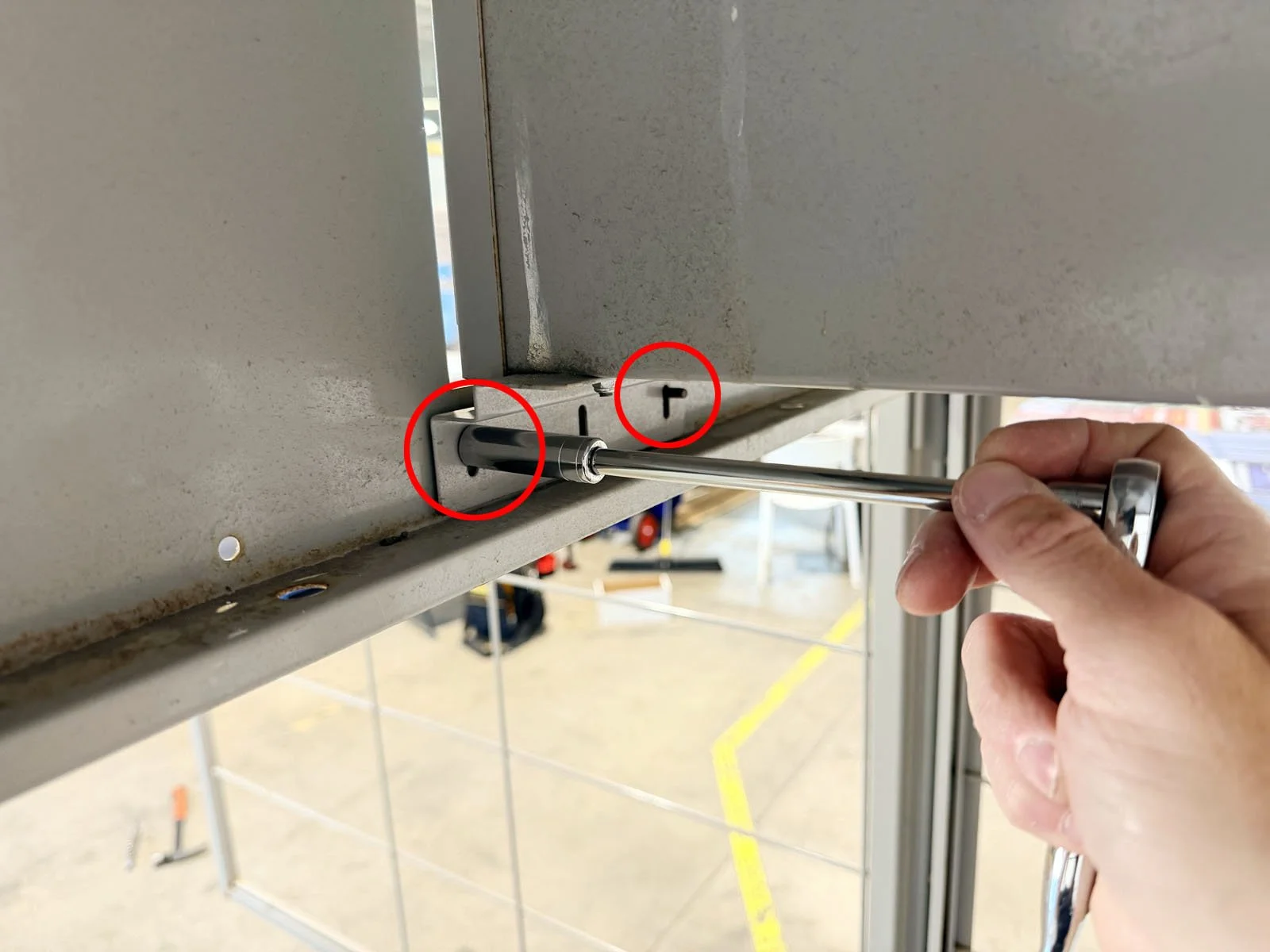
Tools Required: 3/8” socket wrench, 6” socket extension
1: Open the FastField mobile app (Apple or Android) and find the form specific to your store. Your username and password can be found in Field Nation under the Buyer’s Custom Fields. You will use the mobile app to take before, during and after photos while completing the scope of work.
2: Check-in with the store manager on duty. The store has received a package from Primo Brands (PrimoWater) with a new printer. Have the manager help you find this shipment. Then go to the Customer Service desk and ask for their key for PrimoWater Return Center. This is a small, silver padlock key to open the front door. If they don’t have the key, check the Return Center next because they often are not locked or are missing the padlock.
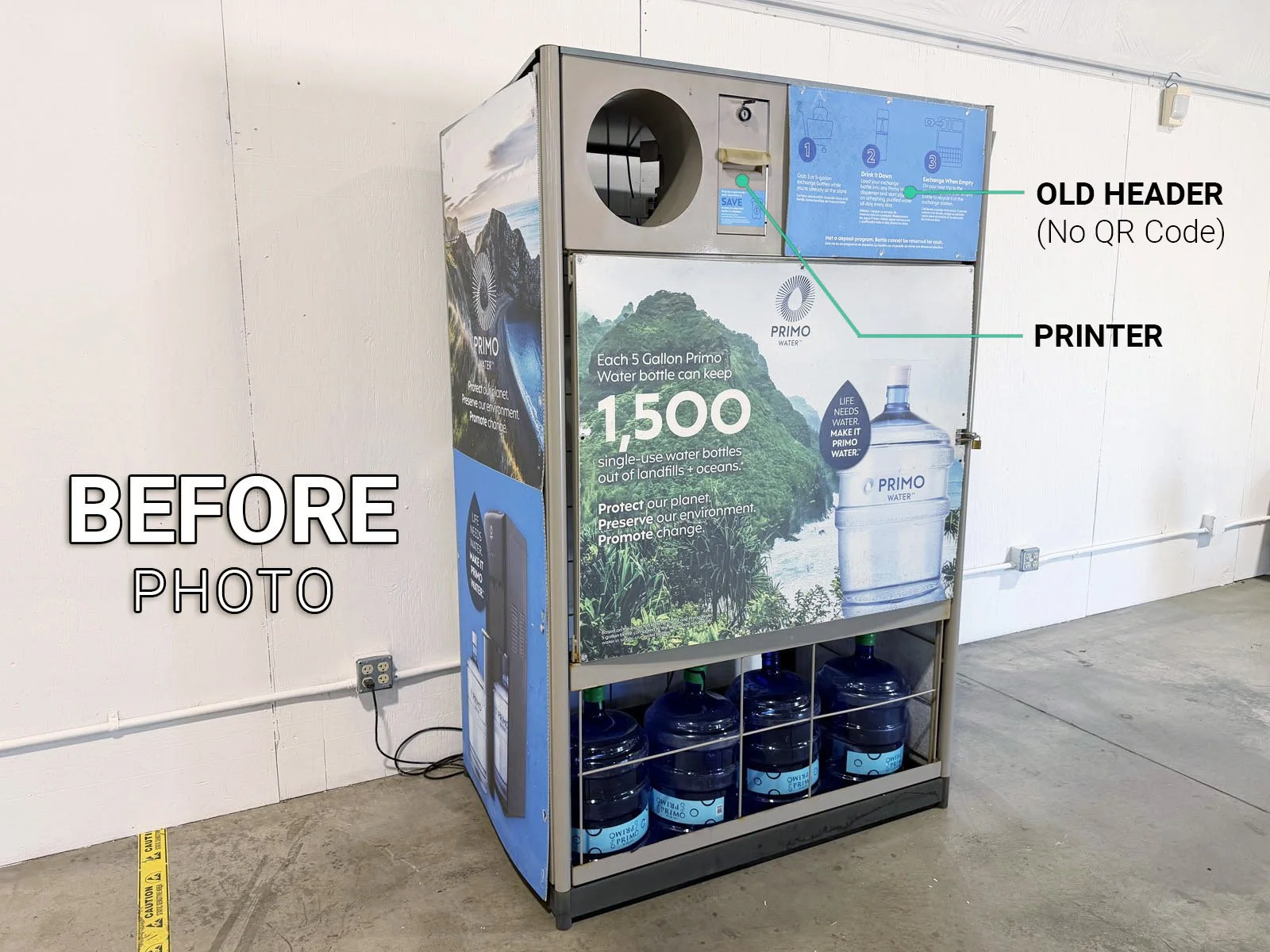
3: Find the Primo Brand Return Center or Combo Unit (outside or along the interior front wall) and take a BEFORE photo 📷 in the mobile app of the Return Center prior to starting any work.
4: Unlock the Return Center padlock using the silver key and open the door (if there is a combination lock on the Return Center instead of the padlock, text KSG immediately for assistance).
5: Remove the existing printer. Unplug the power cable from the outlet. From inside the Return Center, remove the 4 nuts from the mounting bracket for the printer using a 3/8 socket wrench. You’ll need a 6” extension to reach the upper nut on the return chute side. Remove the entire printer unit with mounting bracket and the power cable and set aside.
➡ You may come across an old printer setup that has a “square chute” attached directly to the side of the printer. In this case, you’ll still remove the entire printer unit and square chute as one whole piece to dispose of (you do not need to separate them).
6: Remove the mounting brackets from the old printer, then attach them to the new printer. Note: some new printers are shipped with mounting brackets already attached, so you may be able to skip this step.
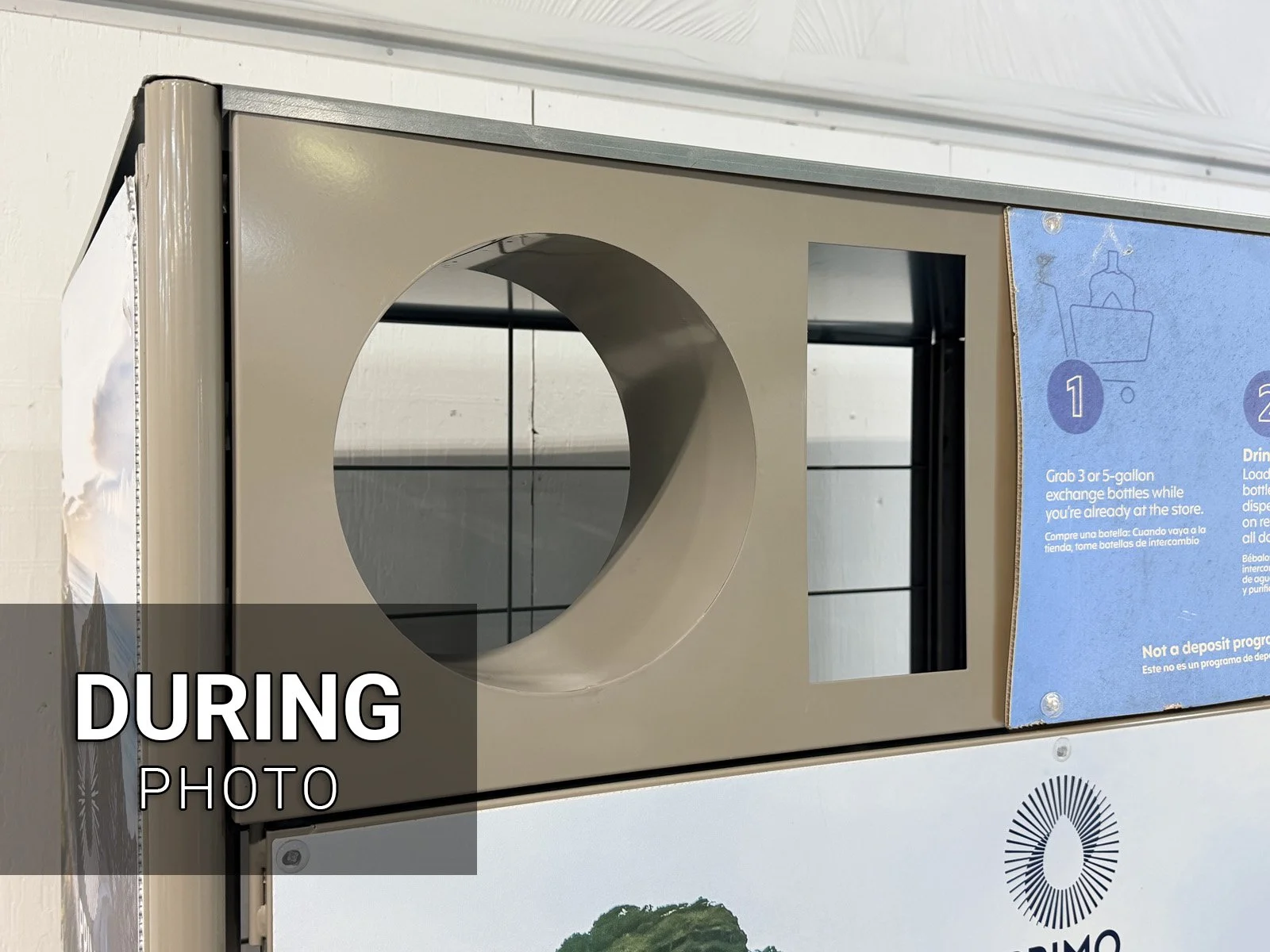
7: Take a DURING photo 📷 with the printer removed from the Return Center (a blank hole).
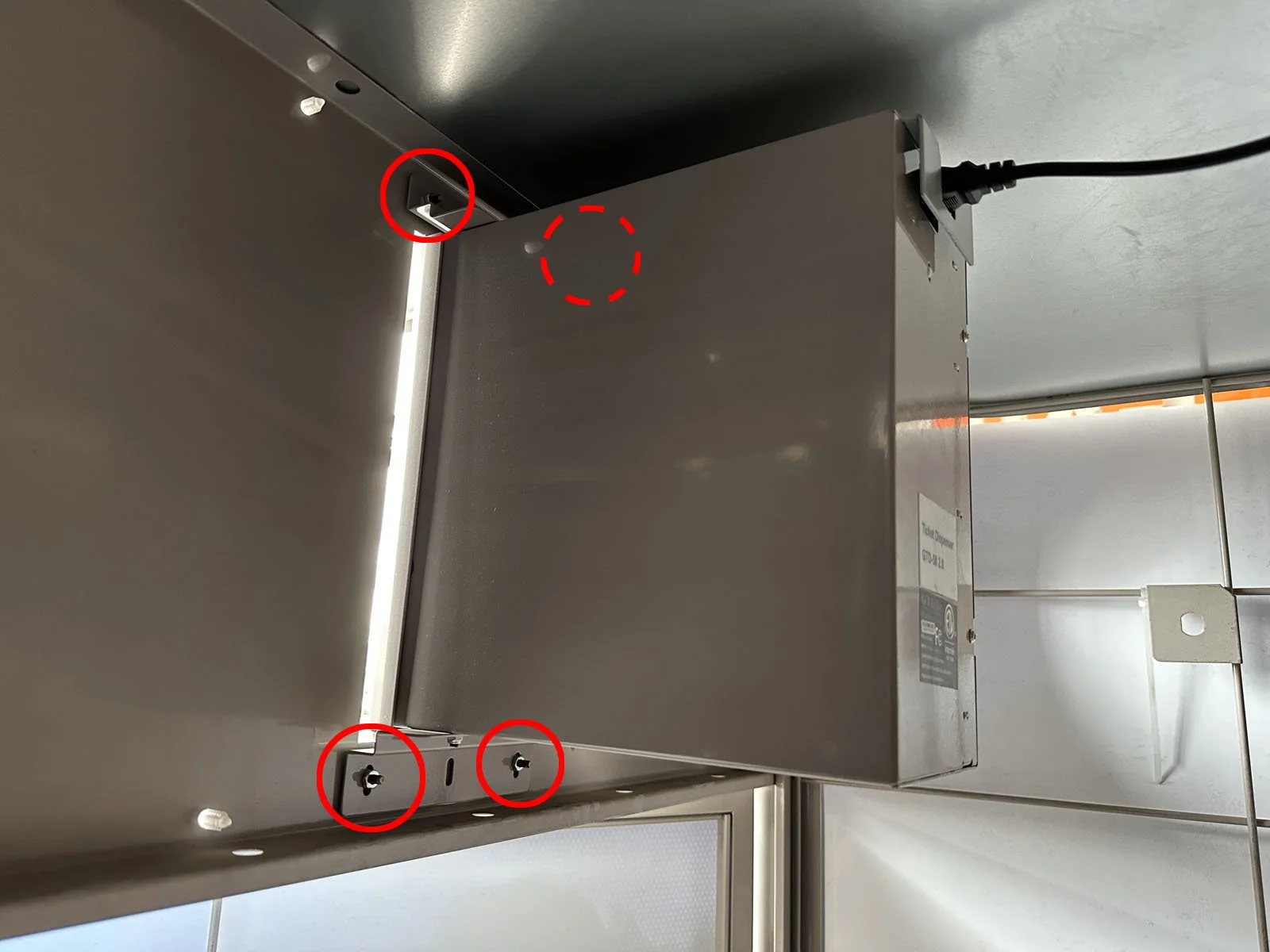
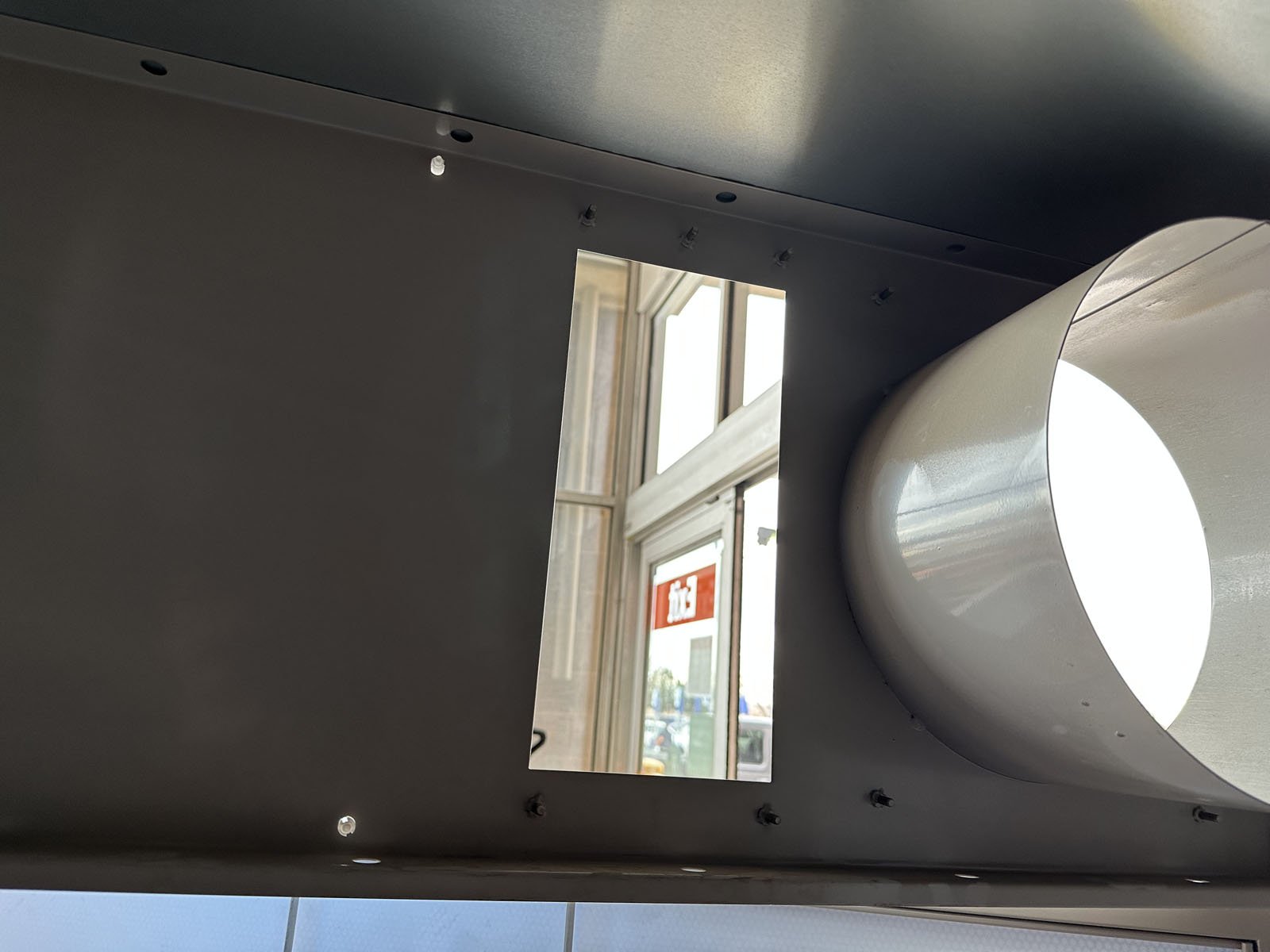
8: Open the shipped box and carefully remove the new printer. Install the new printer by mounting it back onto the same bolts as the old printer and using the same nuts to attach it. Then plug in the power cable for the new printer into the outlet.
9: Open the front printer door using the printer key (brass) that comes inside the box, then load the paper roll. Make sure the to follow the sticker “This way up” so the paper feeds from the top of the roll.
10: Close the front printer door and lock it shut. Put your hand into the return chute, pressing both actuators at the same time. It should now print a receipt.
➡ If a receipt prints, but it’s blank, then the paper was installed upside down. Open the printer door and reverse the direction of paper.
11: Shut the Return Center door and lock the padlock. Clean up the area and dispose of the old printer and any packaging at the store, usually done in their receiving area.
12: Take an AFTER photo 📷 while standing 15’ back to show the overall Return Center, then finish the form in FastField.