Update QR Code on Return Center
Provided: QR Code sticker.
Tools Required: None.
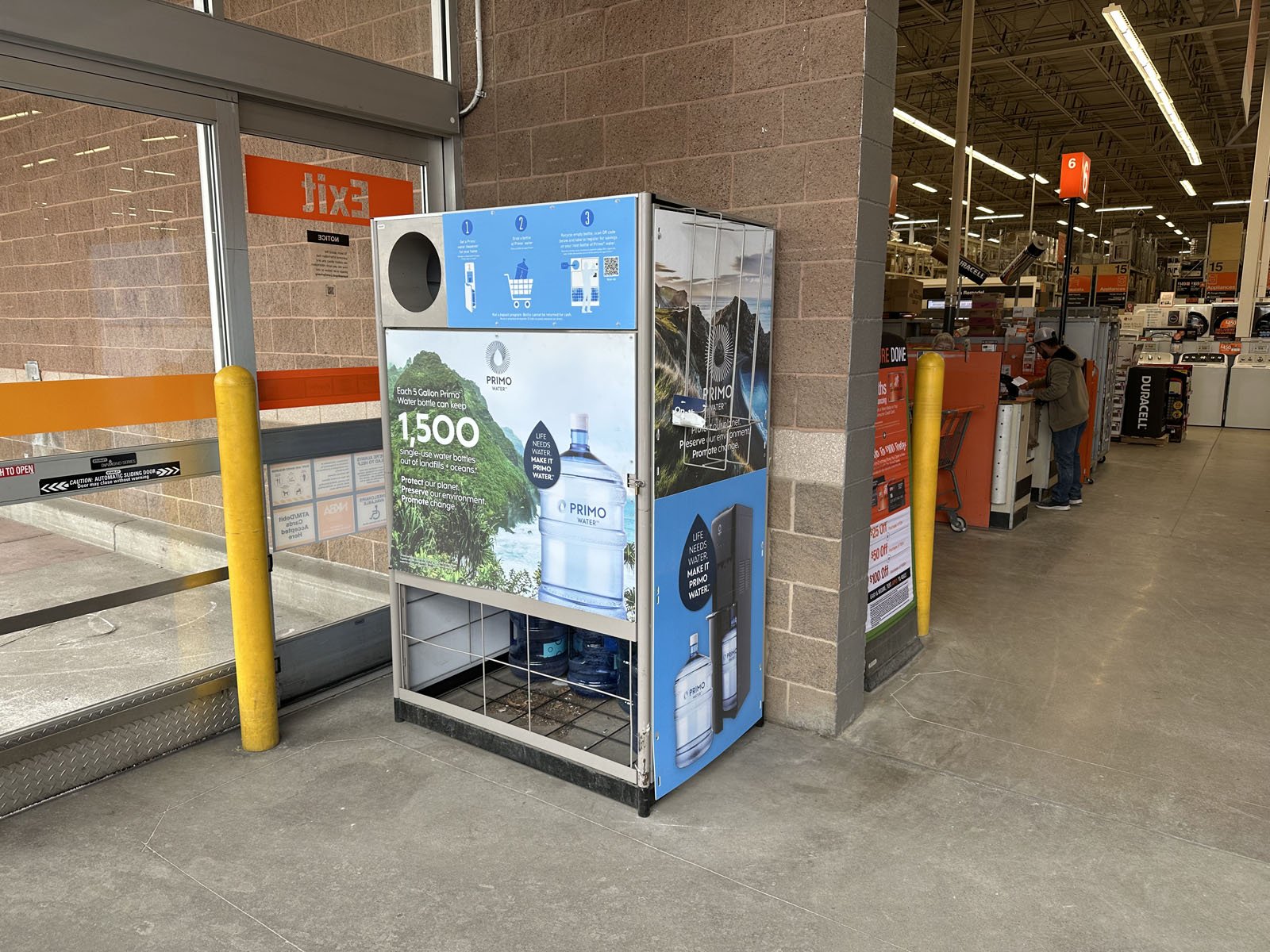
1: Find the PrimoWater Return Center. These are often placed outside the store, but sometimes can be found inside by the PrimoWater displays or in the entry vestibule.
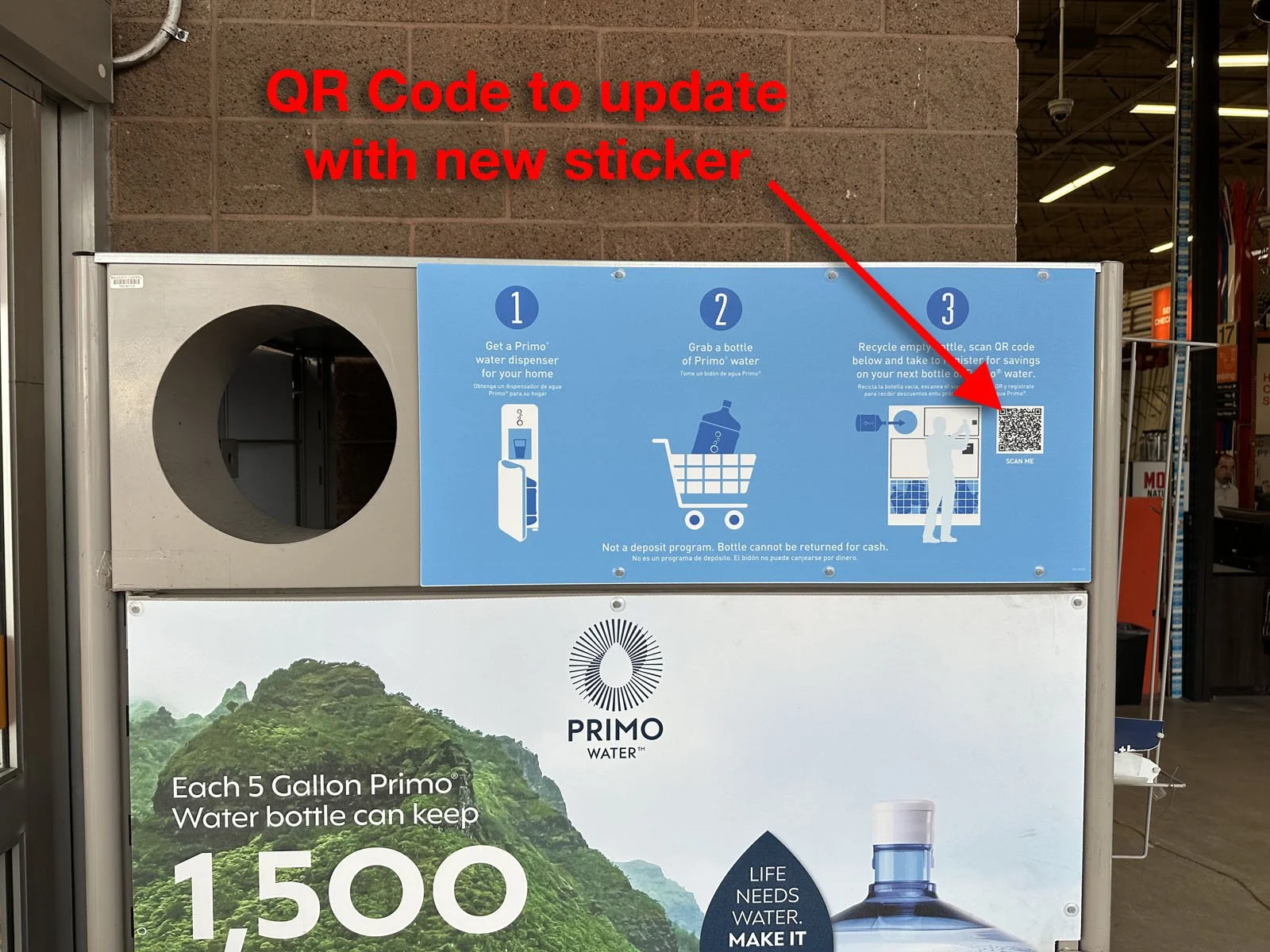
2: Locate the existing QR Code on the blue top sign of the PrimoWater Return Center.
Note: Do not place the sticker on any Poland Spring signage. This is only for PrimoWater.
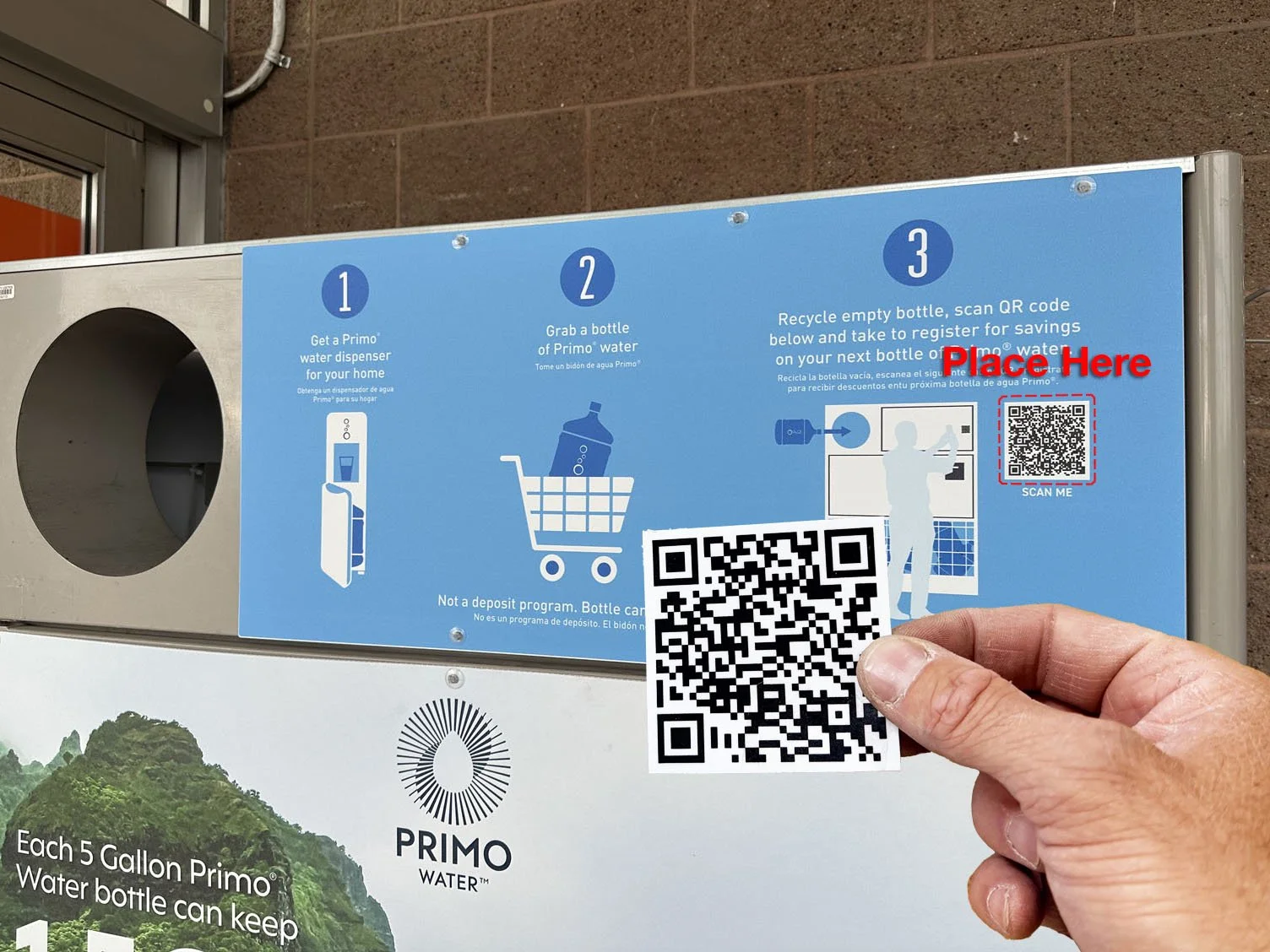
3: Place the provided QR Code Sticker over top of the existing QR code on the sign. Try to not cover the “SCAN ME” wording right below it.
4: Complete your Verification Form in FastField mobile app (Apple or Android). Your username and password can be found in Field Nation under the Buyer’s Custom Fields.
You’ll need to take an overall photo of the Return Center and a close-up photo of the new sticker placed over top of the QR code.